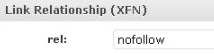
QUICK ANSWER: Disable Javascript and add “nofollow” to the Link Relationship (XFN) field.
EXPLANATION:
In researching how to make a WordPress Blog Roll contain the rel=”nofollow” tag, I found several solutions. Examples included WordPress plug-ins and some quick php file hacks. Those methods worked, but I discovered a quick solution that does not require any plug-ins or any file edits. Simply log in to the admin dashboard and navigate to the “edit links” section. Locate a link which requires the nofollow tag and click edit. Notice if you attempt to type “nofollow” in the rel blank in the Link Relationship section, it is automatically altered. To avoid this, simply disable your Javascript.
The great thing about this trick is that it works for both the downloadable version of WordPress found at wordpress.org AND the hosted version at wordpress.com.
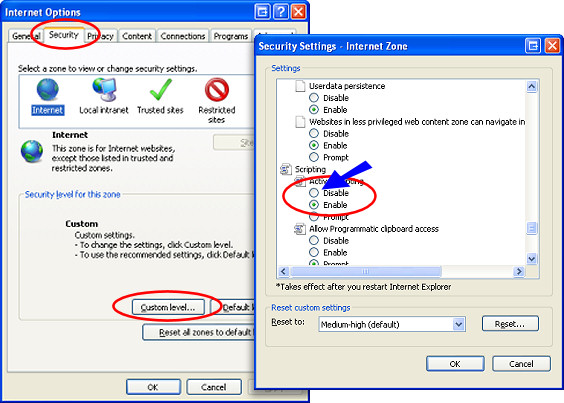
How To Disable Javascript in Internet Explorer:
Javascript can be disabled in IE by going to Tools > Internet Options and on the Security tab, click Custom level… Scroll down to Active Scripting and click Disable and then OK and save the settings.
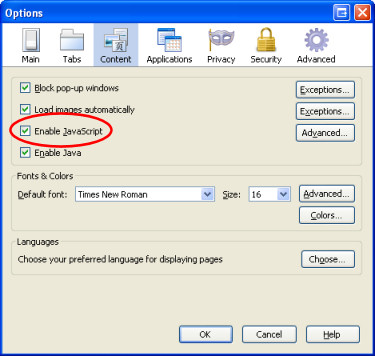
How To Disable Javascript in FireFox:
Go to Tools > Options and select the Content tab. Un-select the checkbox next to Enable JavaScript and click OK. FireFox has a web developer Add-on that is useful for toggling Javascript on and off, as well as other cool development features.
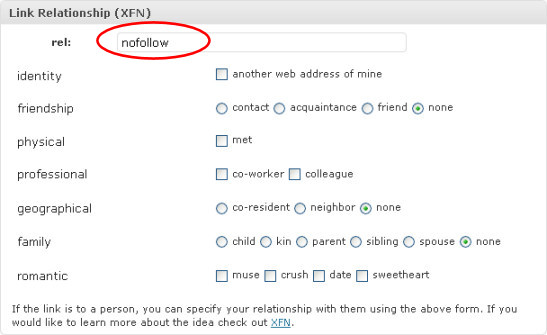
Once you’ve disabled Javascript, enter “nofollow” into the rel blank and save the change to your link. Make any edits to the other links in the blogroll that require the nofollow attribute.
Double check to make sure the nofollow tag was added by refreshing a blog page and viewing the source. When you have finished, remember to enable Javascript.
Wow Really thanks. I have enough plugins and hack my site up enough as it is. This is just too easy. But really why wouldn’t they just allow your own rel tags in the first place?
This is great! Thanks for sharing this info!
You saved my life, what a great fix!!!! I was really dreading getting another plugin!
THANKS SO MUCH!!!!!!!!!
This is too good to be true.
Just after reading your post, within only 2-3 minutes i just made the links of blogroll “nofollow” 🙂
Before that, today i have wasted so much time for looking WP hacks and Plugins to make the links of Blogroll “nofollow”.
This is a such an easy method!
You are the boss 🙂
Thanks.
I was looking for an alternative to plugins on wordpress support. I found some hacks that you need to rewrite every time there is a wordpress update and more important I wasn’t comfortable touching those files (high risk to break your site).
Your answer is so simple! thank you!
Excellent, it solved the problem. Thanks!